
Is Android File Transfer Not Working?
We always share our files to our pc or laptop via USB cable.
But sometimes we face many problems in transferring file to our PC or laptop.
You have come here to rid of from this trouble. It is very easy to get solution
of this problem. There are many solutions are available to get rid of
transferring file to your PC from android phone.
If you have faced trouble in transferring file in android
phone via USB cable then here is some solution available. By using these
solutions, you can easily transfer files in to your PC via USB cable. You have
to pay heed on some general solution which is very necessary to check in your
device. So here are some solutions if android file transfer not working. You
should go to step by step to solve the problem of transferring file in android
device.

How to solve if file transfer is not working—
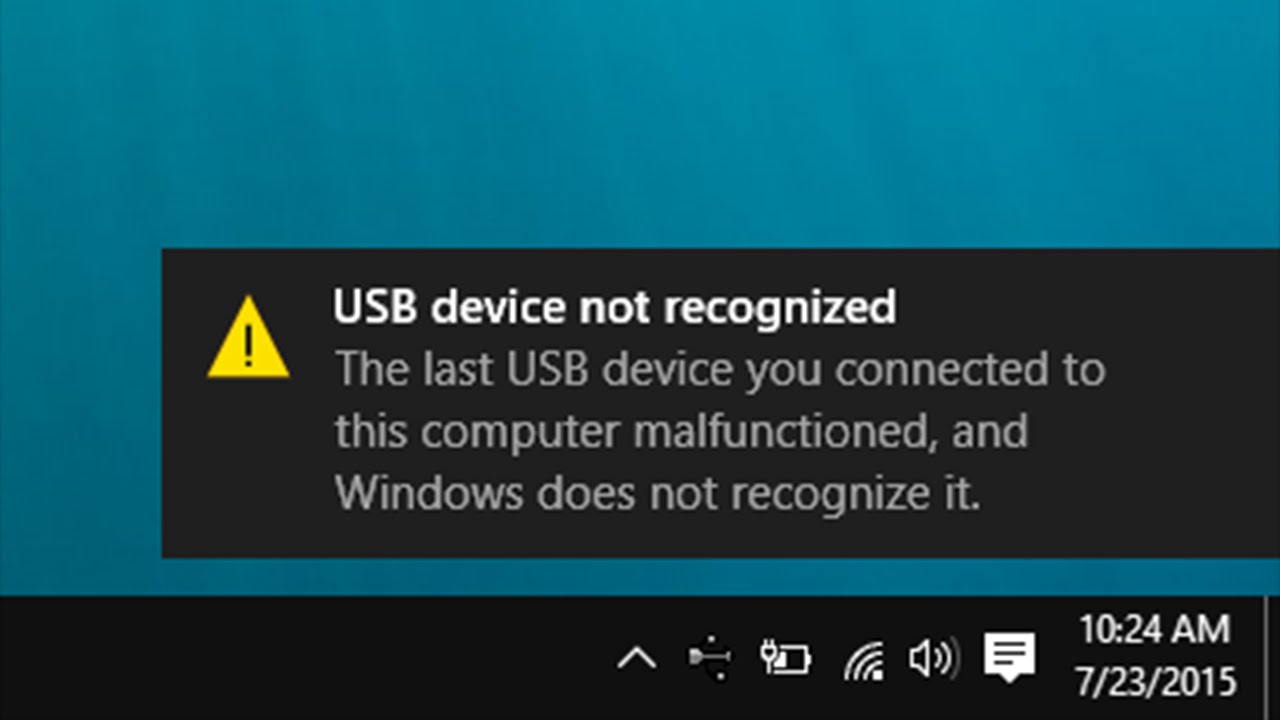
If file transfer is not working then perhaps there is some
general problem which is mentioned below. It is very important to check in your
device and get solution.
- Perhaps USB does not file transfer.
- If your device is not set up to accept USB then transferring will not work.
- May be you have installed Samsung kies file transfer.
- May be your micro USB port has broken. (In this case you have to change your USB port)
So you have seen above which problem may be happen in your
device. We are giving some solution of if file transferring is not working.
Read and solve your problem step by step
1. Step 1- you have to enable file transfer in your device –

This is first requirement to transfer any file into your PC
or laptop via USB. So if your file transferring is not working in your working
android device then you have enable file transfer in android device. To enable
file transfer you have to follow the following steps.
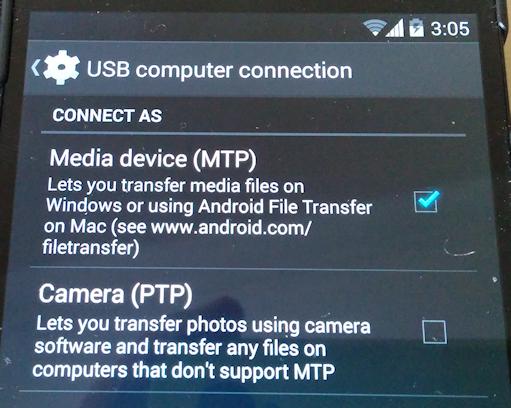
- · Open setting in device by which you want to transfer.
- · Go to storage.
- · Now tap on the three vertical in right corner of screen.
- · Select USB computer connection.
- · Now tick on media device (MTP).
So if you are thinking that it problem of software then you
have to try connection of your device with computer via USB. Now check camera
PTP and uncheck again. I hope this method will help you to transfer file to
your PC via computer.
Step 2 – It is just happened on stock
android marshmallow 6.0
There
is one problem also happened to many people that they do not see the above
option in his mobile. But do not worry; we have solution of this problem just
like other problems.
If
you are feeling this problem in transferring files then follow the following
steps to transfer file in your laptop or pc via USB.
- · First of all you have to detach USB cable from your device.
- · Now go to setting.
- · Go to ‘about device’.
- · Now tap on build number repeatedly until pop appears.
- · Go to setting and developer option.
- · Now enable USB debugging.

- · Now lock your device.
- · After locking your phone connect your android device to computer by using USB.
- · Unlock your device after connecting your device to PC or laptop.
- · Now swipe down notification and see notification.
- · Now press on USB for charging.
- · Now from the pop up your have select file transfer.
- · Now you have to lock and unlock your device.
Step 3— Uninstall the Samsung’s kies file transfer software (skip if not install in your device)

Often Samsung’s kies file transfer cause not to transfer
file via USB. So uninstall the Samsung’s kies file transfer then I think your
device will be able to connect to computer via USB. To uninstall first you have
install. After install select uninstall button and uninstall the Samsung’s kies
file transfer.
Step 4— check your USB cable –

Now this is last step to connect your device to PC or
laptop. All USB are not equally made, some USB cable are able to transfer the
file while some are unable to transfer the file. First of all, you have to sure
that you have bought or selected transferable USB cable by which transferring
file is easy. If it is non transferable USB then go to market or search on
Amazon for best USB cable.
Read Few More Topics:
We hope this post is able to help you to connect and
transfer file from your device to PC or laptop then please share your
experience to our visitor. It is our pleasure to have your suggestion.
Is Android File Transfer Not Working?
 Reviewed by Unknown
on
1:18:00 pm
Rating:
Reviewed by Unknown
on
1:18:00 pm
Rating:
Reviewed by Unknown
on
1:18:00 pm
Rating:


I've seen your post and it was very informative
ReplyDelete